 OrchardHQ
A field-first orchard assistant
For Fruit and Nut Growers
OrchardHQ keeps track of all of your fruit and nut trees — what's planted where, what's flowering, what needs pruning, and what gave you a bumper yield of apples. You record by voice while your hands are full. We do the rest.
Try the demo · no sign-in → Request access →OrchardHQ is in invite-only early access. The demo needs nothing — just open it. To set up your own orchard, request an invite.
What it does
- Plan
- Plan new orchards by field layout, species mix and spacing. See how well it pollinates.
- Map
- Map in the field by walking and make voice notes, or let us analyse drone imagery.
- Observe
- Voice notes and photos to record everything by tree, row or field — yield, growth, pruning, flowering.
- Tasks
- Schedule in the field by voice notes, or on the webapp based on management history.
- Diagnose
- Photograph diseases and pests for diagnoses, or a tree for pruning advice.
- Analyse
- Analyse growth, yield, pollination and disease by variety, field or individual tree.
Each one opens a deep-dive guide — what it really does, when you'd use it, and what it doesn't do yet. See all guides →
How it works, start to finish:
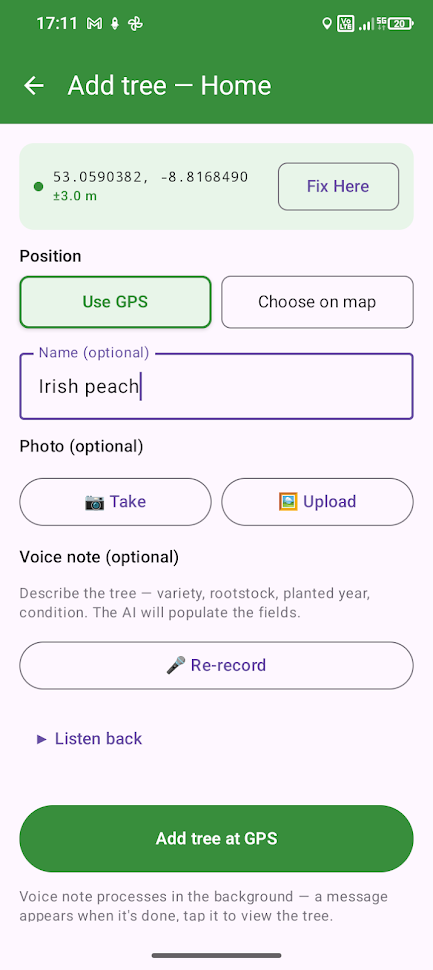
Add a tree at your current location, or by pinning it on the map, with a voice note describing it — "This is an Irish Peach on M26 rootstock, planted in 2021." Mention the form, even past activity, in the same note.
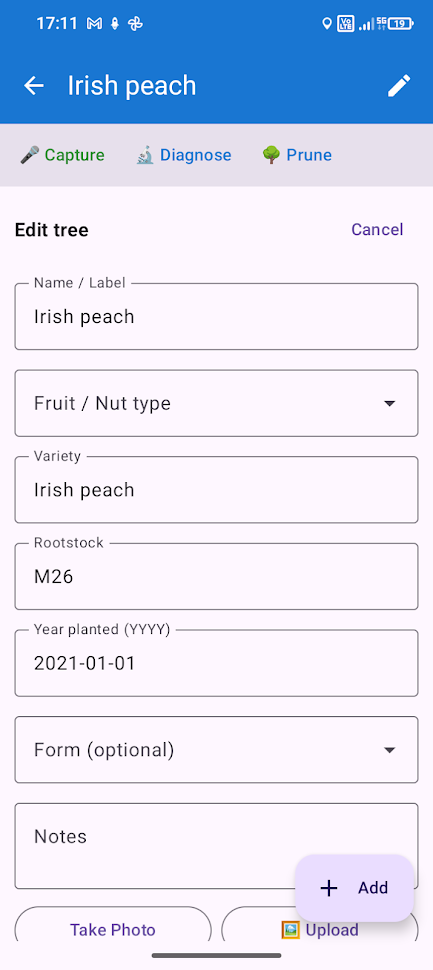
Not instant — and if you're offline, the note and photo queue up and sync automatically once you're back in signal.
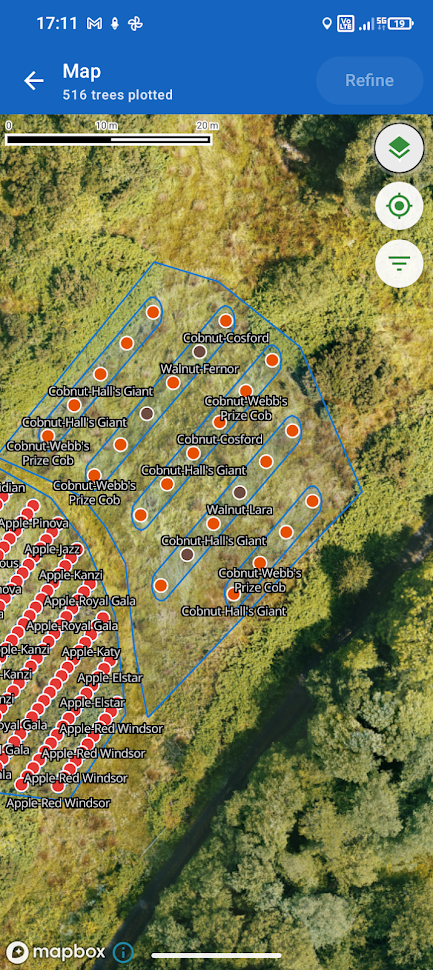
See every tree you've added — in the mobile app, or the web app via import. Tap a tree to add a note on the spot.
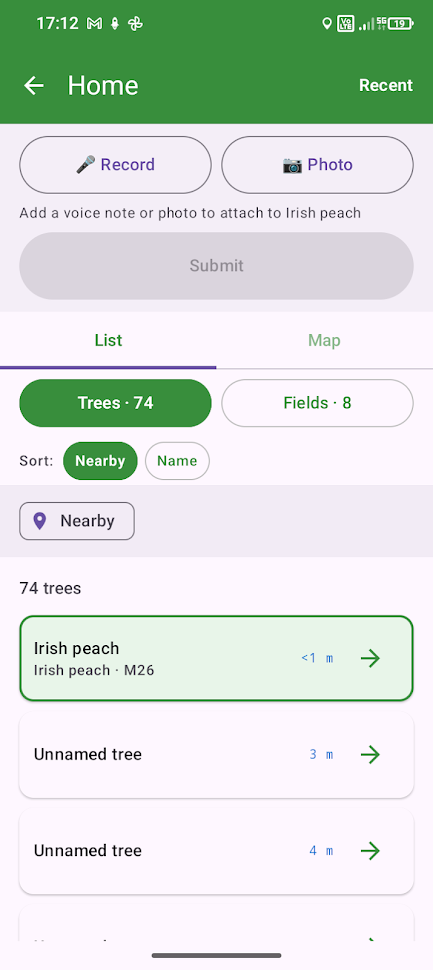
Capture shows the trees closest to you in the field. Add a voice note and/or a photo — a photo gets an instant AI diagnosis, a voice note gets parsed automatically.
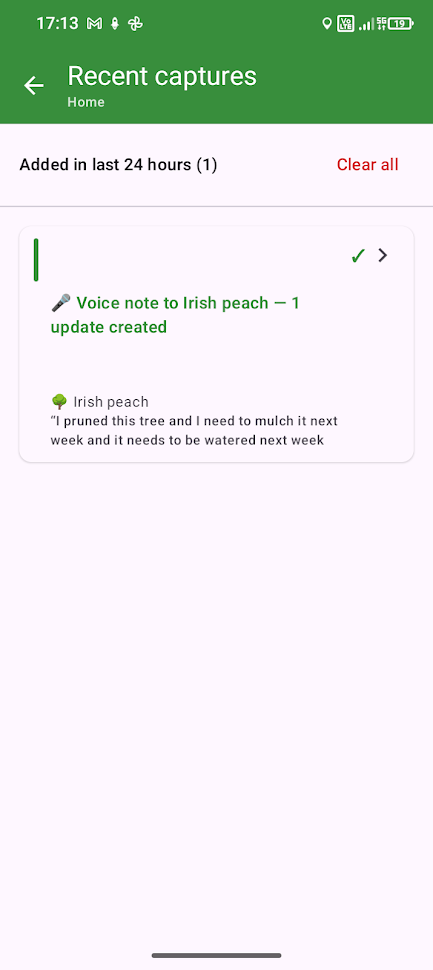
Check Recent to see how your voice note was parsed — which tree it applied to, and what tasks, actions and observations it created.
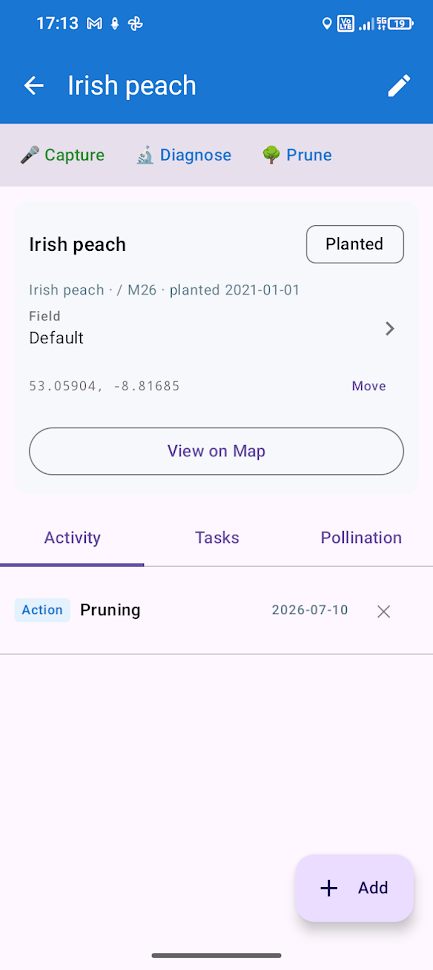
Your completed actions, all in one list.
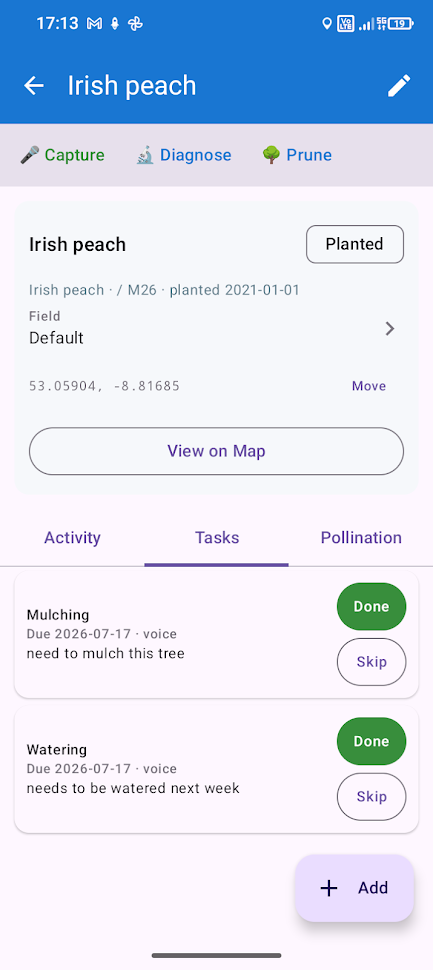
Tasks created for the tree — from voice notes, diagnoses, or set manually.
Scroll to see more →
Built for every orchard, priced by how many trees you have.
Start free with up to ten trees, then pay a simple annual price that scales with your tree count. Every plan includes three users, plus one more for every hundred trees. Try the demo to see it working; request an invite when you're ready for your own orchard.
Map, plan, observe and schedule for up to ten trees at no cost. Includes a free trial of 20 advanced features — voice parsing and AI diagnoses.
| Trees | Price / year |
|---|---|
| 25 | €20 |
| 50 | €30 |
| 100 | €50 |
| 150 | €70 |
| 200 | €90 |
3 users included, plus 1 per 100 trees. Extra users €10 / user / year.
Contact us for a quote. Includes:
- Premium support
- Custom data imports, beyond CSV, GeoJSON and KML
- Drone map hosting & analysis
Doesn't quite fit your needs? Get in touch and we can quote you a custom package.
Everything OrchardHQ does.
The full picture. Every one of these is shipped and working today — try it in the demo.
For every tree, row and field
- Satellite or custom drone map, with position and boundaries
- Record details and a photo
- Record observations with voice notes and photos — flowering, fruit yield and more
- Diagnose diseases and pests from photos, using the tree's context (variety, time of year, local climate), and get recommended tasks from the diagnosis
- Record actions such as pruning, mowing, mulching and fruit picking
- Schedule tasks on the fly in the field by voice note
- Schedule and assign tasks on the web app with our task planner
- Pruning advice from a photo, based on your desired form (advisory only)
Orchard-wide
- Orchard planner: draw the boundary, row orientations, in- and between-row spacing, species and variety mix, interplanting, and a bill of materials
- Orchard analytics: flowering, fruiting, yield and disease over time — by field, row and variety
- Yield and disease heat maps, per year, across your orchard
- Pollination scoring — standard distance, compatibility and bloom timing (male & female)
An easy, voice-first mobile app for field work
- Record observations, actions and tasks by voice
- Quick diagnoses by photo
- Walk the boundaries of a new orchard for the planner tool
- Add new trees as you walk and talk
- View your tasks
Did we miss anything? Let us know and we'll try our best.
Your data stays yours.
No proprietary format, no lock-in. Everything you put into OrchardHQ, you can take straight back out.
Export your whole orchard any time as CSV, KML or GeoJSON.
Already keeping records? Import what you have — from Google Earth, spreadsheets or GeoJSON — and carry on from there.
Something more complicated? Get in touch and we'll try our best.
About.
I'm a small-scale vegetable, fruit and nut grower with an interest in protecting native woodlands in the west of Ireland. I built OrchardHQ to solve problems I was facing with keeping track of my trees, diagnosing problems, and planning my new cider orchard — see the demo here.
Interested?
Try the demo → Request access →